


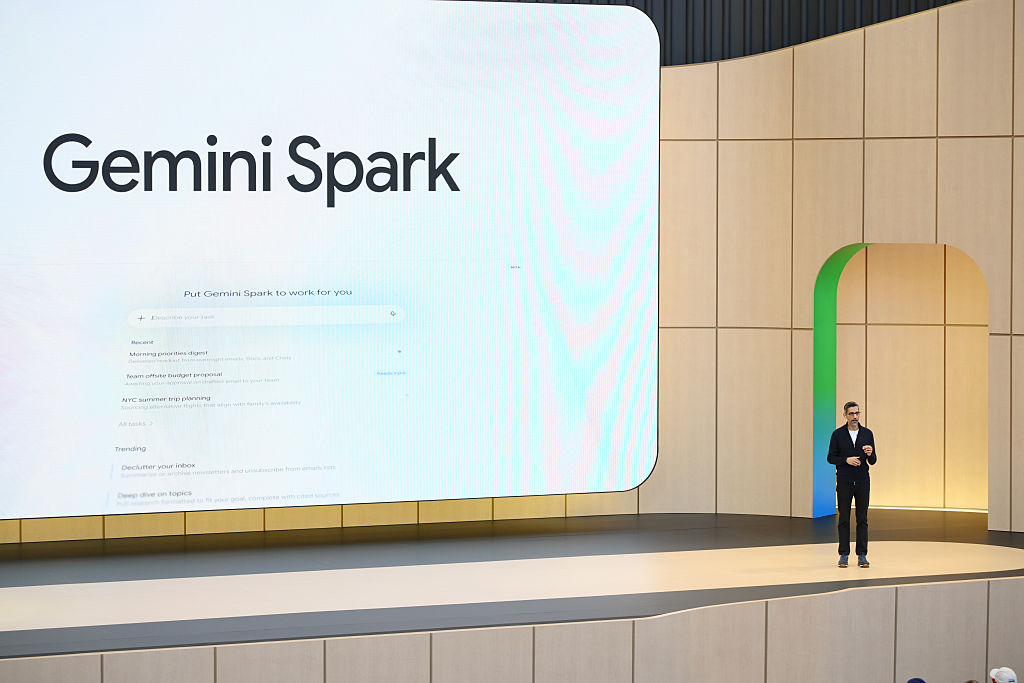
Gemini Spark is Google’s new 24/7 agentic assistant, designed to help you help you “navigate your digital life,” which essentially means getting your online to-dos done, summarizing the things you don’t have time to read (like the entirety of your inbox), or organizing something that would have otherwise involved too much screen time-filled manual labor, like a personal expenses spreadsheet.
The service was first introduced at Google’s annual developer conference in May, where CEO Sundar Pichai joked that Spark, which runs on virtual machines in the cloud, means that “yes, you can close your laptop.” The in-joke here is that he’s comparing Spark to other agentic AI systems, like the ever-popular OpenClaw, which require keeping the machine awake to run its tasks.
Spark, he’s suggesting, is agentic AI for the rest of us — those who would rather get things done without nerding out about it by setting up an always-on AI machine.
In practice, Spark is still very much designed for work-adjacent tasks, given its integration with Google’s productivity apps like Gmail, Calendar, Docs, Sheets, and Slides. (After all, how many times are you preparing a deck for in your personal life? Unless you’re a Gen Z creator explaining the latest meme to your chronically offline friends, that is?)
Google also struggles a bit to come up with real-world examples that would convince someone that Spark is a “must-have” rather than a “nice-to-have” tool for personal use.
Among its suggestions for “personal productivity” is using Spark to scan your emails and calendar for the day and send you a recap with your top three must-do tasks,” which already assumes you are a person who jots down your to-dos in a calendar or email app, instead of a notepad (virtual or otherwise), or just keeps a running list in your brain. (E.g., Grab prescriptions and shampoo at Walgreens. Buy more dog food. Hang out with friends on Saturday.)
Google also suggests you could use Spark as a weekend planner, by drafting a Google Doc “suggesting three free activities based on my open calendar blocks for the upcoming weekend,” which, again, assumes you are some sort of scheduling nerd in your offline life.
Nevertheless, with early access to Gemini Spark, I decided to put it through its paces, with what are perhaps some real-world suggestions of my own. I came away surprised that it was a fairly useful implementation of consumer AI, but not one that deserves to have its own brand.
Finding Savings
For one initial task, I asked Spark for help with a shopping-related research. The idea was to help me with an everyday local drugstore trip for household items, so I asked Spark for product suggestions based on weekly deals and coupons I could clip.

At first, Spark seemed to do pretty well here, as it told me exactly what products were on sale that matched my needs, and suggested coupons to clip in the Walgreens app for extra savings. It even suggested how I could stack coupons for one item by combining online promo codes, if I were placing an online pick-up order and was planning to spend more on personal care items.
However, as is often the case with AI, the devil was in the details, as one of the promo codes was invalid when I tried it, despite meeting what the AI said were the requirements. Still, Spark pointed me to some other savings — like buy-one-get-one-free and rewards deals that made up for this gaffe.
Planning a packing list for a day trip
In another test, I asked Gemini for help with a packing list for a day trip out of town. I asked it to check the weather, gather the event details, and make suggestions of what to bring with us, like sunscreen or water, to see what it would come up with, after it learned more about the activity. I asked for the final list to be imported into Google Keep.

Guess what Spark can’t do? Use Google Keep.
That’s a huge oversight, given that Google’s notetaking app would be essential for anything in the realm of personal productivity. Instead, it offered to make me a doc or draft me an email because, sure, that’s the sort of thing I’d want to check for my list of to-brings. (??)
In terms of the list itself, however, Spark was spot-on, suggesting lawn chairs or blankets, water, sunscreen, sunglasses, a light layer for when the sun goes down, a reusable shopping bag, and an umbrella for possible light showers that day. It also reminded me that dogs were not allowed, despite the event being outdoors. (Sorry, Princess!)

Summer Camp / Activity Suggestions
My child has aged out of summer camps for kids (and should probably just get a job), but before we went that route, I wanted to scour the local area to find out if there were any summer activities available for teens that she could do in addition to her engineering camp in June. I asked Spark to do a thorough search and find any and all suggestions, keeping in mind that we would not want to drive more than around 30 minutes.

Spark generated a decent list of ideas for activities that matched my child’s interests, and plotted out how far they were from home. Unfortunately, I forgot to prompt Spark to get the costs or dates of the programs, and it didn’t bother to tell me, which meant I still had to do more manual research on my own.

Recurring Task: Summarize newsletters from email
Like many, I subscribe to too many newsletters, so I put Spark to work on preparing me a weekly summary, which would arrive every Friday, focused only on the top five posts or articles I shouldn’t miss reading, along with a link.

The AI got to work, digging into my inbox and, within moments, had presented a summary of several interesting articles to read that included context and a link. (The link ended up being a Google.com redirect that didn’t work — I had to click the link displayed on the redirect page, as it never automatically sent me to the site in question.) While I generally liked the suggestions, Spark only returned four articles to read when I had requested five. Spark had interpreted the request as “4-5” for some reason.
Recurring Event: Suggest Weekend Activities
For another request, I asked Spark to compile a list of weekend activities around town for me on Fridays, so I can get to planning my weekend fun. As someone who lives in a smaller city, there aren’t always big events or things to do, so making sure you don’t miss the anticipated street festival or hot show when it comes to town is key. But there’s no single source to find everything there is to do — you have to read multiple local newsletters, visit websites and Facebook Groups, read the newspaper online, and more.

Spark instead set up a web search, combined (at my request) with a search of my Gmail for any relevant local newsletters, digests, or lists with keywords indicating a local activity suggestion. It then compiled a list of upcoming weekend events and noted that if I wanted to add any to my calendar, I could just reply.
If it wasn’t for Spark, I would have never known there is an Annual Beaver Queen Pageant nearby, which apparently features people in beaver costumes raising money for wetland conservation? OK, I might need to check that out. (You still have to tell Spark to add it, then click a button to confirm, but this is easier than the manual labor of reading through so many sources for ideas.)
Recurring Event: Check for Price Drops

For my last request, I set Gemini Spark to work on tracking price drops for an expensive eye cream. As a penny-pincher, I’d never buy it unless there was a crazy sale. I wanted Spark to keep track of the price changes for me and alert me if the eye cream ever became more affordable. However, Spark’s interpretation of this request was to simply recheck the price every two weeks to see if it dropped below my target. I’m not sure that would be frequent enough to spot a deal. (I’ll update if the results are successful, but I believe I’ve set too low a bar as my target — even after raising my bar by another $10! — so this is probably just wishful shopping at this point. But I’m always hopeful some online retailer will make a pricing mistake one day!)
More Ideas to Come
I can already see how I’ll be able to integrate Spark into my everyday life in other ways, too — I already have ideas for more email monitoring and cleanup tasks, for instance. The next time I change the home’s air filter, I’m going to ask Spark to remind me in three months to swap it out. If I ever get around to taking a vacation, I’ll probably have some tasks for it then, as well.
Room to improve
While Spark already performed fairly well on my tasks with only small quibbles, the biggest criticism I had was that there’s no need for this to be a standalone product with a different branding. I think that adds to consumer confusion in this day and age, where there are so many things happening in the AI space, and where every new model has its own name and number, and some of these are quite wild. (Nano Banana, anyone?)

Why not just pitch Spark as something Gemini can do out of the box, instead of making it its own product? Why does the toggle have to say “switch to Spark,” instead of just “switch to Tasks?” (If it even needs to have its own space in the user interface!) I personally don’t want to carry the mental load of trying to determine whether something is a question or a task; I just want to type in a question or request and be done with it.
I also think the lack of Keep integration is a major miss in terms of being helpful with your personal productivity. Google Docs is overkill for a packing list. And, unfortunately, for iPhone users, tapping into Gemini Spark directly from your device through a push of a hardware button or gesture won’t be possible — unless Apple announces this at next month’s WWDC? Instead, you’ll need to launch the Gemini app and use it from there. (Another issue with having Spark as its own toggle within Gemini — you can’t program the iPhone’s Activity Button to go directly to Spark, which is separate from Gemini’s chatbot interface. How great it would be if everything Gemini does were all in a single destination! Ugh!)
And while Spark will later be able to do more with MCP integrations, not being able to set it to perform certain tasks, like booking your favorite date night restaurant regularly through Resy or looking for flight deals on a preferred booking engine, for instance, makes Spark feel somewhat lacking for the time being, given that not everything you do online takes place in Google’s universe of services.
(Also, I’d really like to text Spark. I wish that were an option, too.)
When you purchase through links in our articles, we may earn a small commission. This doesn’t affect our editorial independence.
TC,AI,Apps,Google,gemini,AI assistant,gemini ai,Gemini SparkGoogle,AI,gemini,AI assistant,gemini ai,Gemini Spark#put #Googles #assistant #Gemini #Spark #work #pretty1780169566
